Import a page, or point the camera
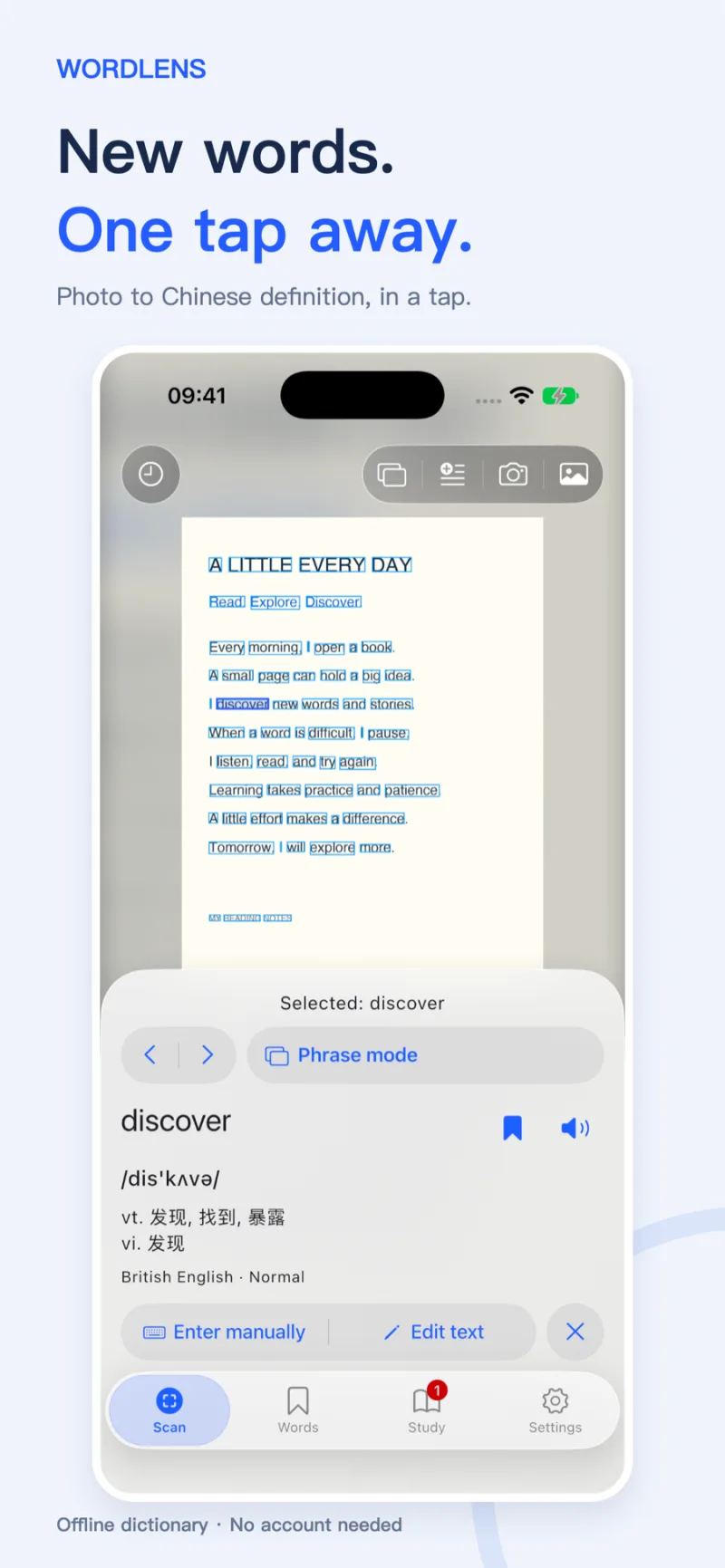
Tap a word for its pronunciation and definition. Switch to sentences to correct the text, hear it, and translate it on device. Live lookup does not save camera frames.

WORDLENS · 单词镜
Lookup · Vocabulary · ReviewImport a page or point the camera at one, then tap a recognized English word for its pronunciation and Chinese definition. Switch to a sentence to hear it and translate it. Save words, then keep them with spaced review, dictation, and spelling.
On-device recognition · No registration · Learning data stays local
WORDLENS WORKFLOW
Tap a word for its pronunciation and definition. Switch to sentences to correct the text, hear it, and translate it on device. Live lookup does not save camera frames.
British and American IPA, parts of speech, and Chinese definitions come with the app. Inflected words resolve to the base form. Vulgar and sexual senses are hidden unless you turn them on.
About 20,000 common words come with standard British and American recordings that play offline. Learn IPA walks through all 47 sounds with example words in both accents.
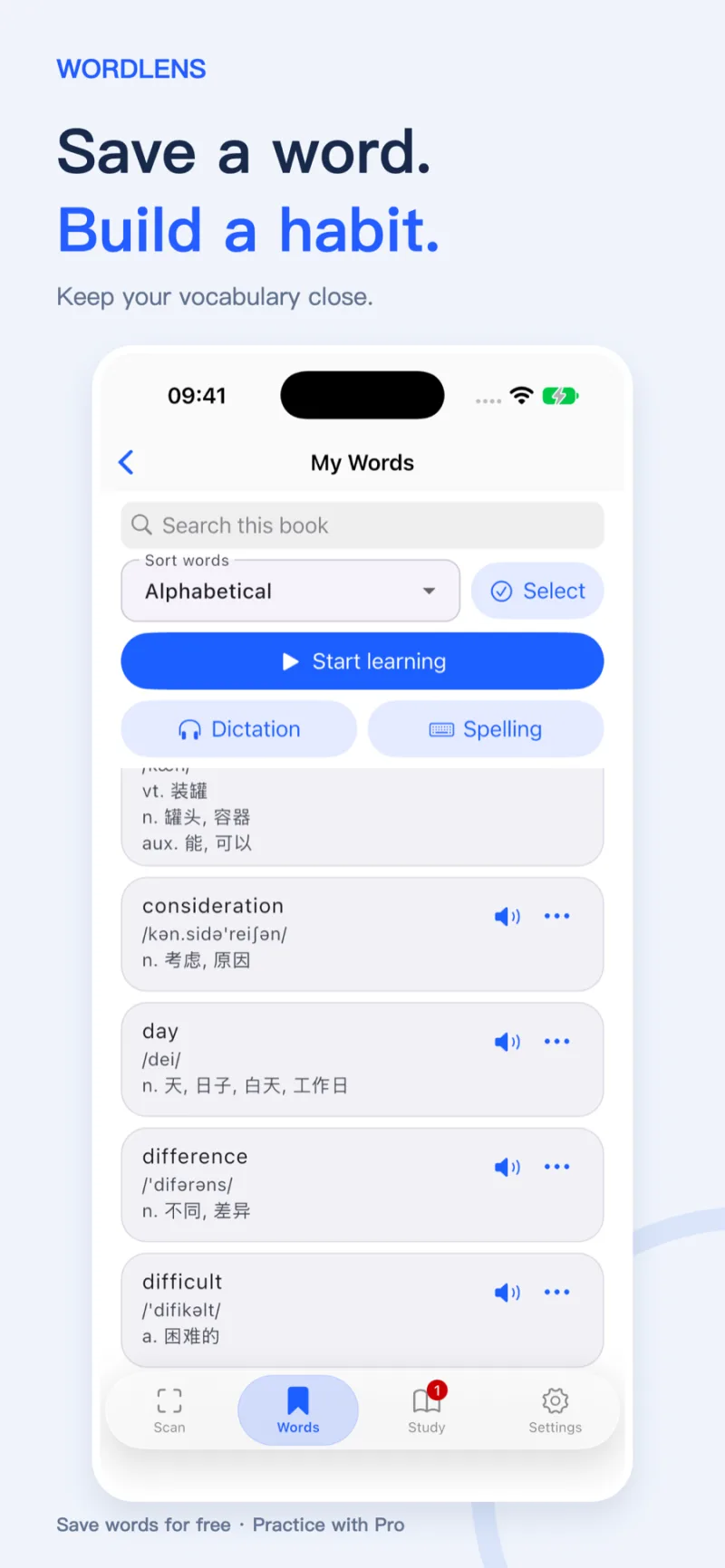
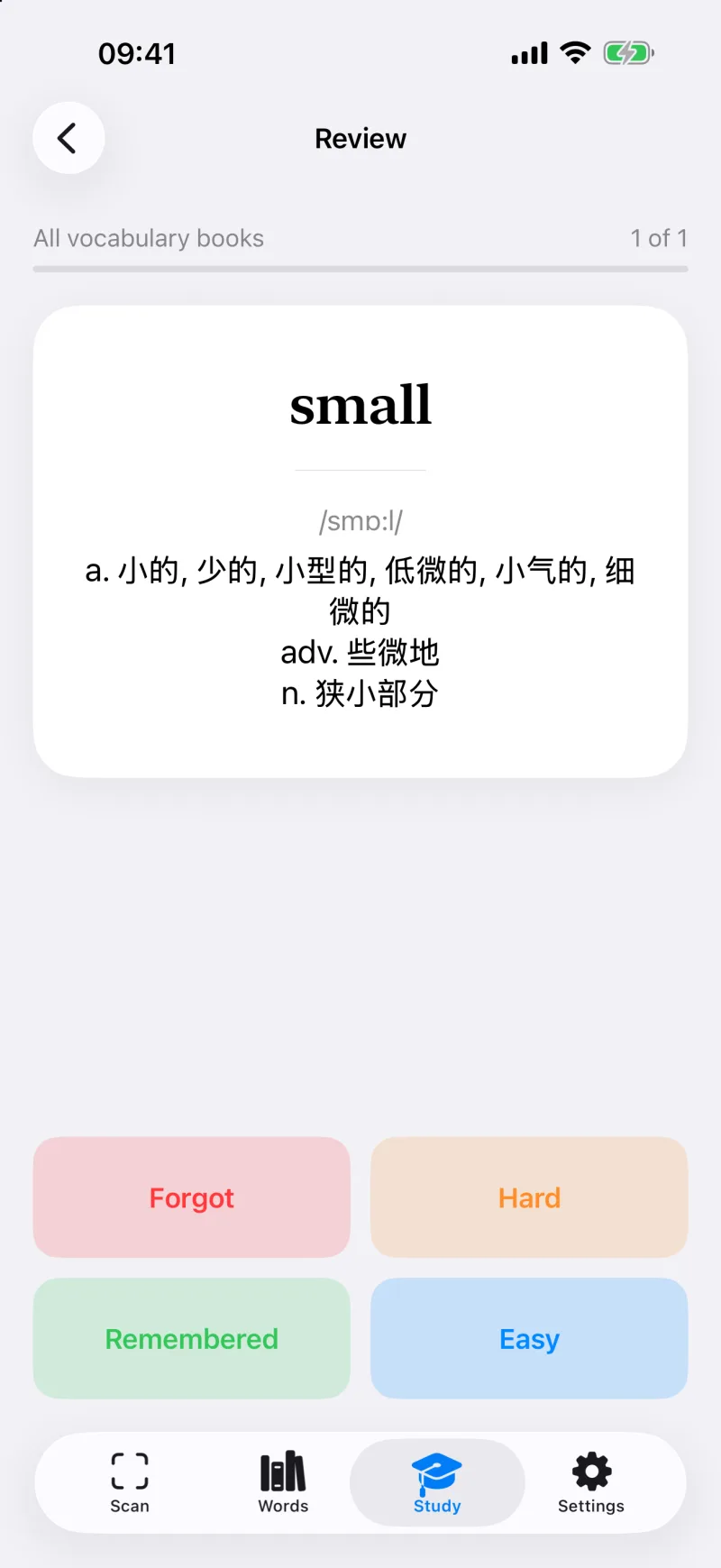
Save words, then search and hear them. WordLens Pro extracts a whole page at once, schedules spaced review, and builds recall with dictation and spelling.
THREE SIMPLE STEPS
You do not need to type the page first. Three actions take a word from the page into review.
PRIVACY BY DESIGN
Photo content, recognition results, dictionary lookups, and learning records are handled on your device, with no account. Only when you play built-in audio for a rarer word or phrase does the app fetch that clip from our download host; see the privacy policy.